LiveAndSigned Creator Studio install and streaming guide
Download, install, verify, and use Creator Studio 0.2.1 on Windows, macOS, Linux, and FreeBSD. This guide covers every shipped desktop build, first-run checks, live streaming, direct multistreaming, local recording, gift-game scenes, and automation bridge basics.
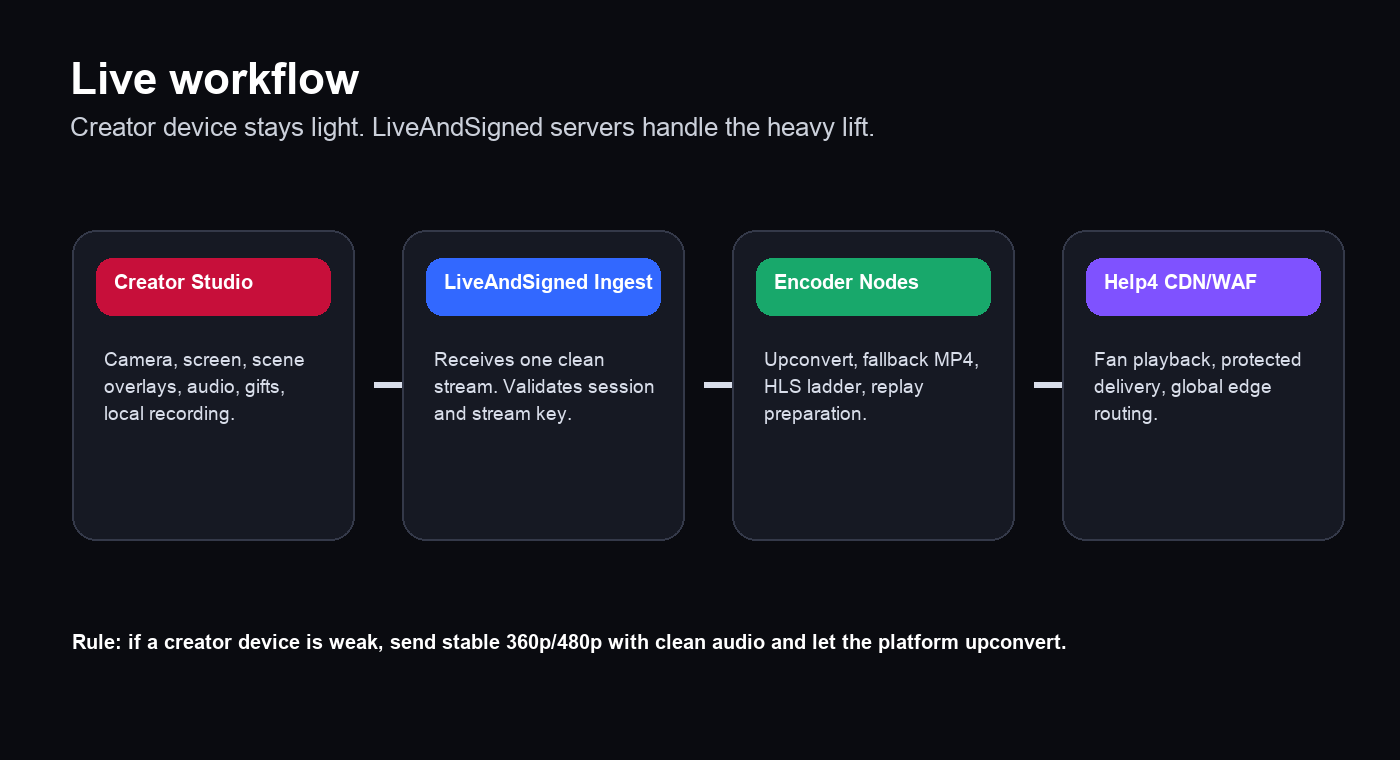
Current release: Creator Studio 0.2.1. The app is a native lightweight launcher for FFmpeg. It is not Electron, React Native, Flutter, Tauri, Node, or a bundled browser shell. Weak creator devices should send stable 360p or 480p with clean audio; LiveAndSigned ingest and encoder nodes handle upconvert, fallback MP4, HLS ladders, replay preparation, and CDN delivery.
Screenshots
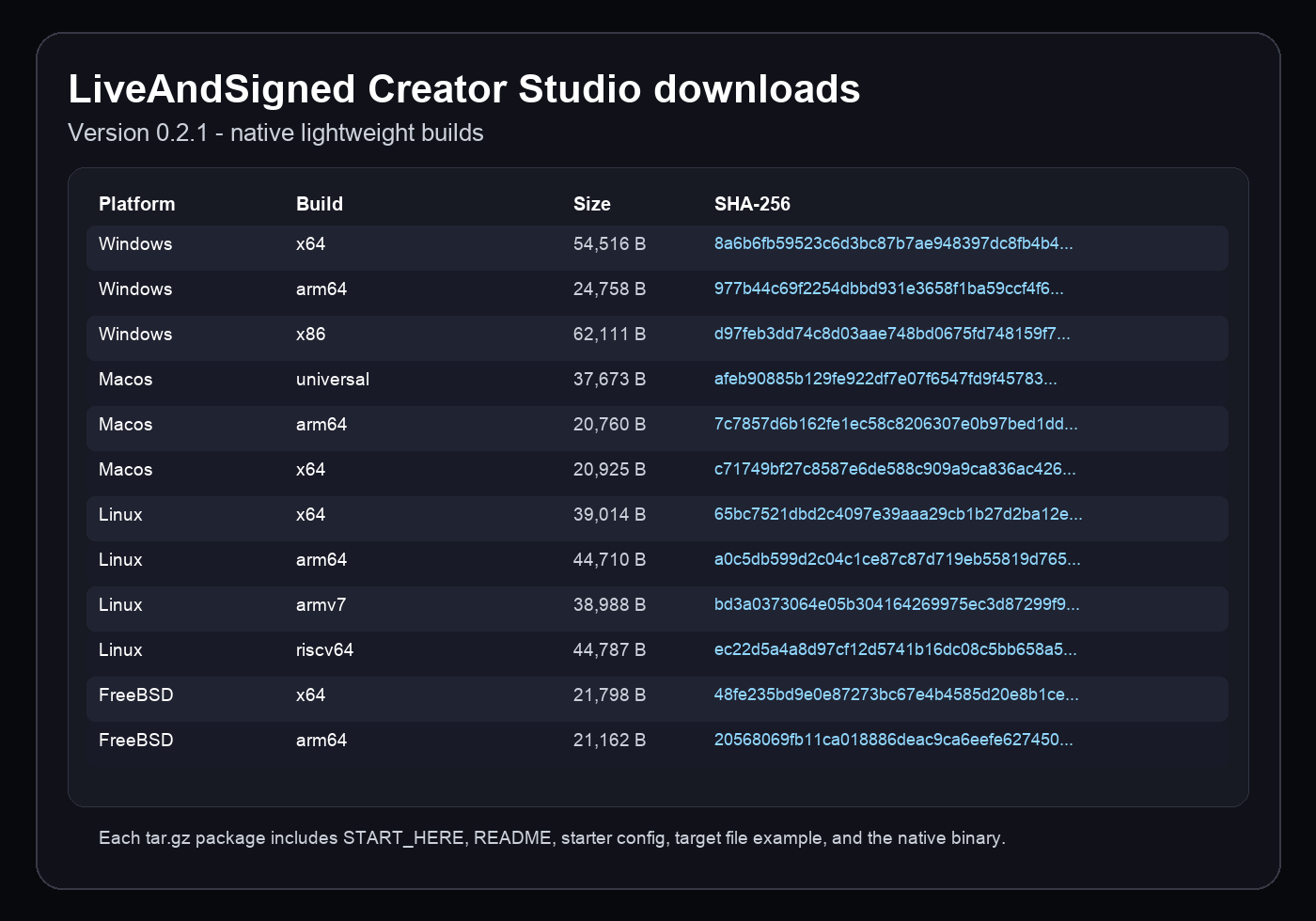
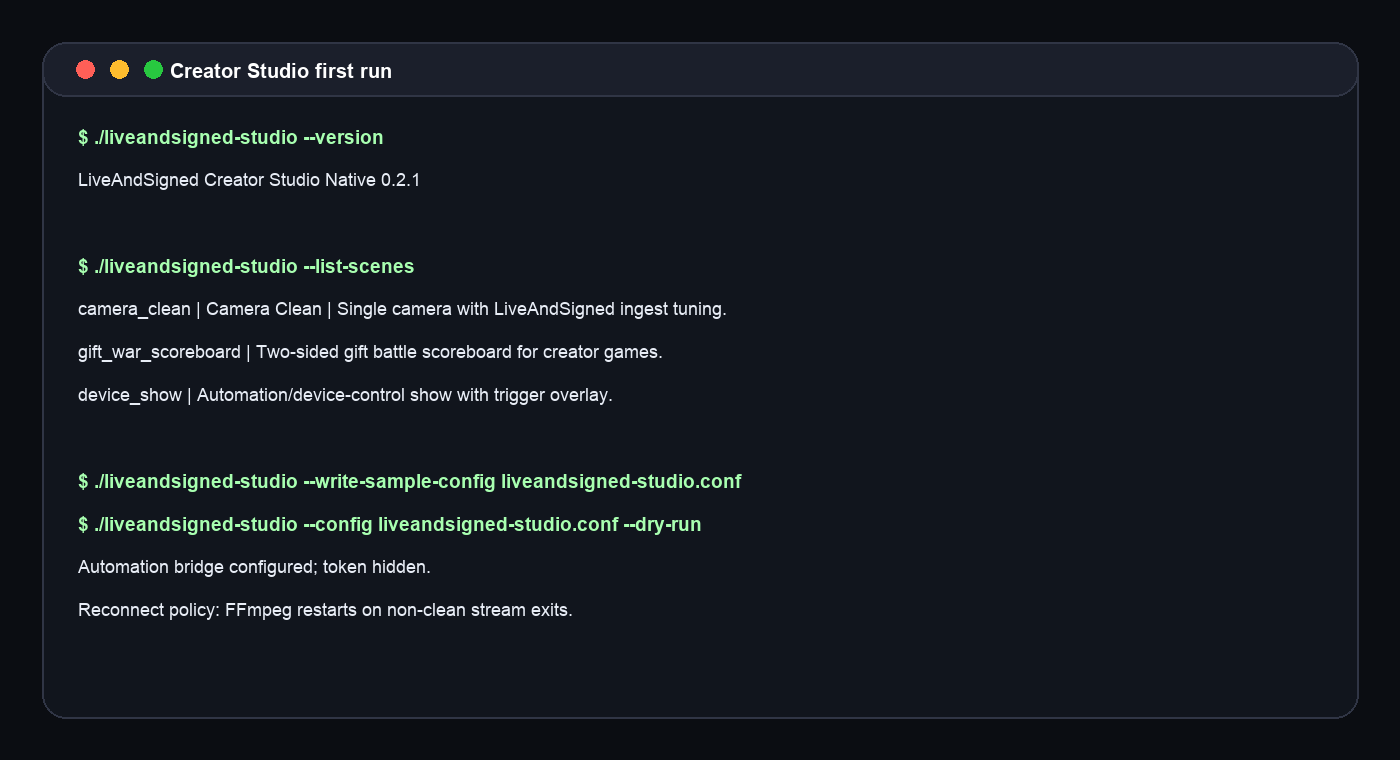
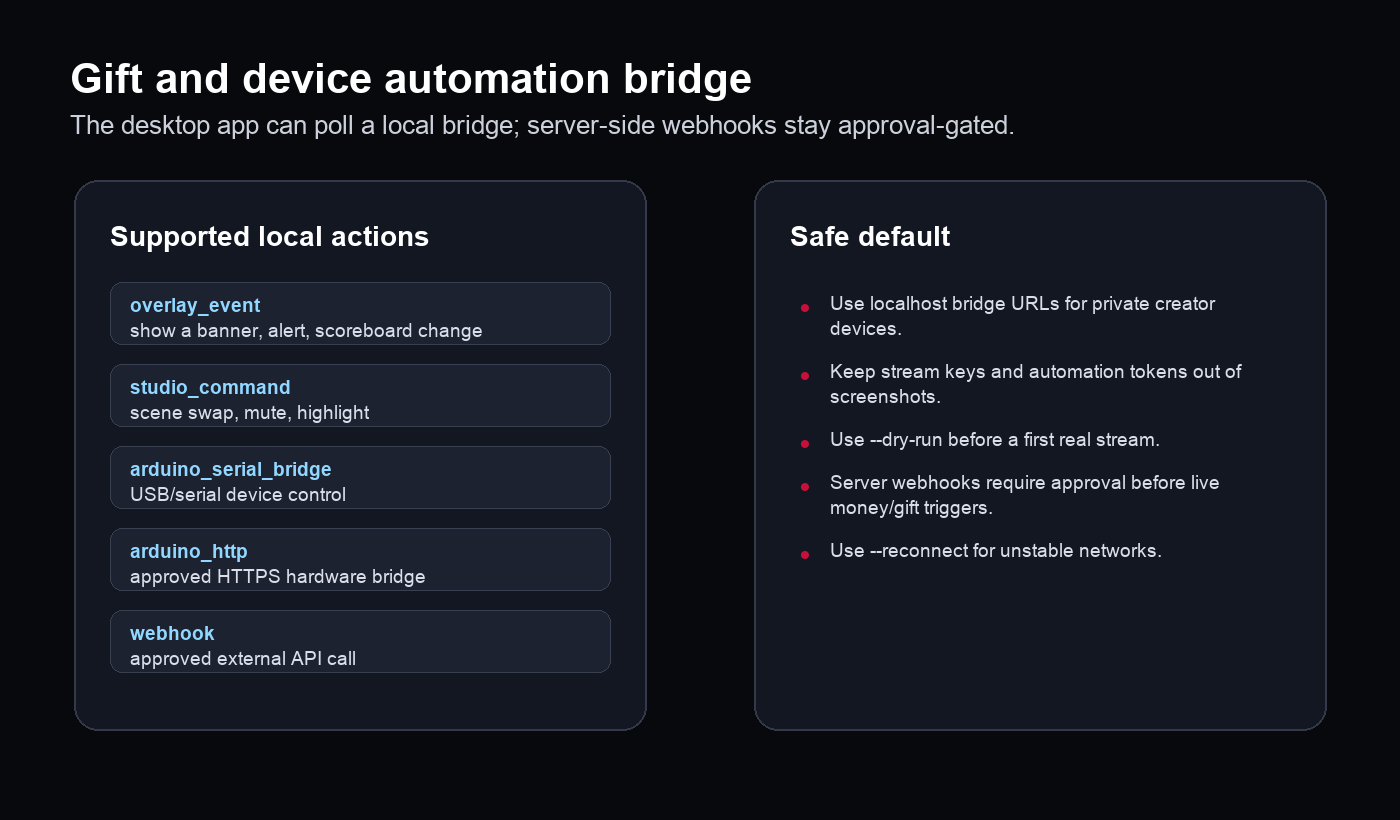
All desktop packages and checksums in the 0.2.1 release.First-run checks, scene listing, sample config, dry run, and hidden automation token behavior.Creator device, LiveAndSigned ingest, encoder nodes, and Help4 CDN/WAF playback flow.Gift, overlay, studio command, and local device automation support.
Downloads and checksums
Pick the build that matches the creator device. Keep the `.sha256` value if support asks you to verify a download.
Use `--list-scenes` to see the current presets. The main presets are `camera_clean`, `screen_clean`, `creator_lower_third`, `gift_war_scoreboard`, `game_battle`, and `device_show`.
Direct multistream sends one local capture to multiple destinations. This uses the creator device CPU/GPU and upload bandwidth for every destination. The later LiveAndSigned restream service will move fan-out to high-bandwidth ingest/restream nodes.
`targets.example.txt` is included in every package. One destination goes on each line. Lines may be labeled as `youtube=rtmp://...`.
Automation bridge and creator devices
Creator Studio 0.2.1 exposes the local automation contract for gifts, overlays, game battles, and devices. Use local bridge URLs for Arduino, USB, serial, or local-network devices. Server-side webhooks and public device endpoints must be approved before they can fire from paid gifts or live coin events.
Dry-run output confirms the bridge is configured but does not print the token.
Troubleshooting
FFmpeg is missing
Install FFmpeg or pass the full path with `--ffmpeg`.
No camera or audio
Run `--print-devices`, confirm OS privacy permissions, and pass explicit `--video-input` or `--audio-input` values.
Stream stutters
Drop to `balanced_480p` or `low_power_360p`, close other apps, use wired internet, and let LiveAndSigned upconvert.
External platform rejects the stream
Use the exact RTMP/RTMPS/SRT URL and key from that platform. Do not append the LiveAndSigned stream key to full external `--target` URLs.
macOS blocks the app
Use the quarantine removal command above, then run from Terminal. Trusted Developer ID signing and notarized installers will be added after the Apple code-signing identity is available on the release machine.
Update download fails verification
Delete the downloaded update archive and download again from this help page. The launcher refuses update archives whose SHA-256 does not match the API release metadata.
Automation does not fire
Check the local bridge URL, token, and Creator Workshop automation rules. Public webhook/device actions require approval.
Version notes
Version
Status
Notes
0.2.1
Current
Scenes, scoreboards, local recording, direct multistream, automation bridge, reconnect, update checks, error reporting, verified update downloads, and 12 desktop builds.
0.2.0
Superseded
Scenes, automation, and packaged starter files. Upgrade to 0.2.1 for update checks, telemetry, and verified update downloads.
0.1.1
Superseded
Direct multistream sender. Upgrade to 0.2.1 before using for creator events.
0.1.0
Superseded
First native sender. Upgrade before using for creator events.